2. First setup: license key and AliExpress
You do this once. It takes about five minutes.
Step 1 — Enter your license key
- Open GetDropFlow → Settings.
- Paste your license key into New license key and press Save key and verify.
- The Membership box now shows Status: Valid, your plan, the product limit and the date it is valid until.
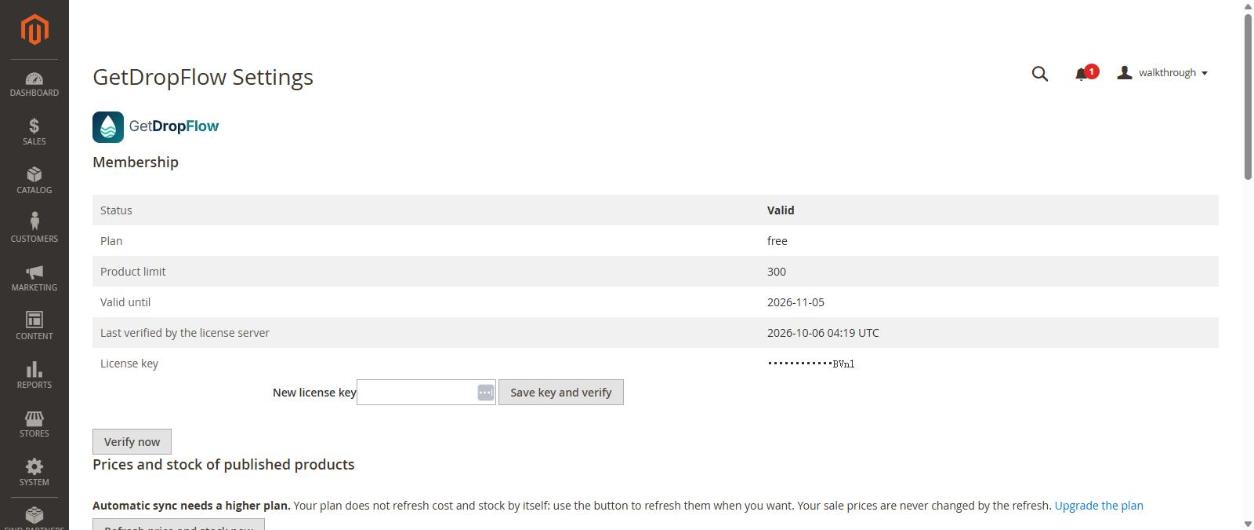
Until a valid key is saved, the plugin pages are read-only. That is normal.
Step 2 — Connect your AliExpress account
You do not need an AliExpress App Key or App Secret. You only sign in and allow access.
- In the same page press Connect AliExpress account.
- AliExpress opens. Sign in with your own AliExpress account and press Authorize.
- You come back to Magento and see Connected to AliExpress, with the date the permission is expected to end (about 60 days after connecting). Press Connect again (re-authorize) before that date; the page warns you 7 days earlier.
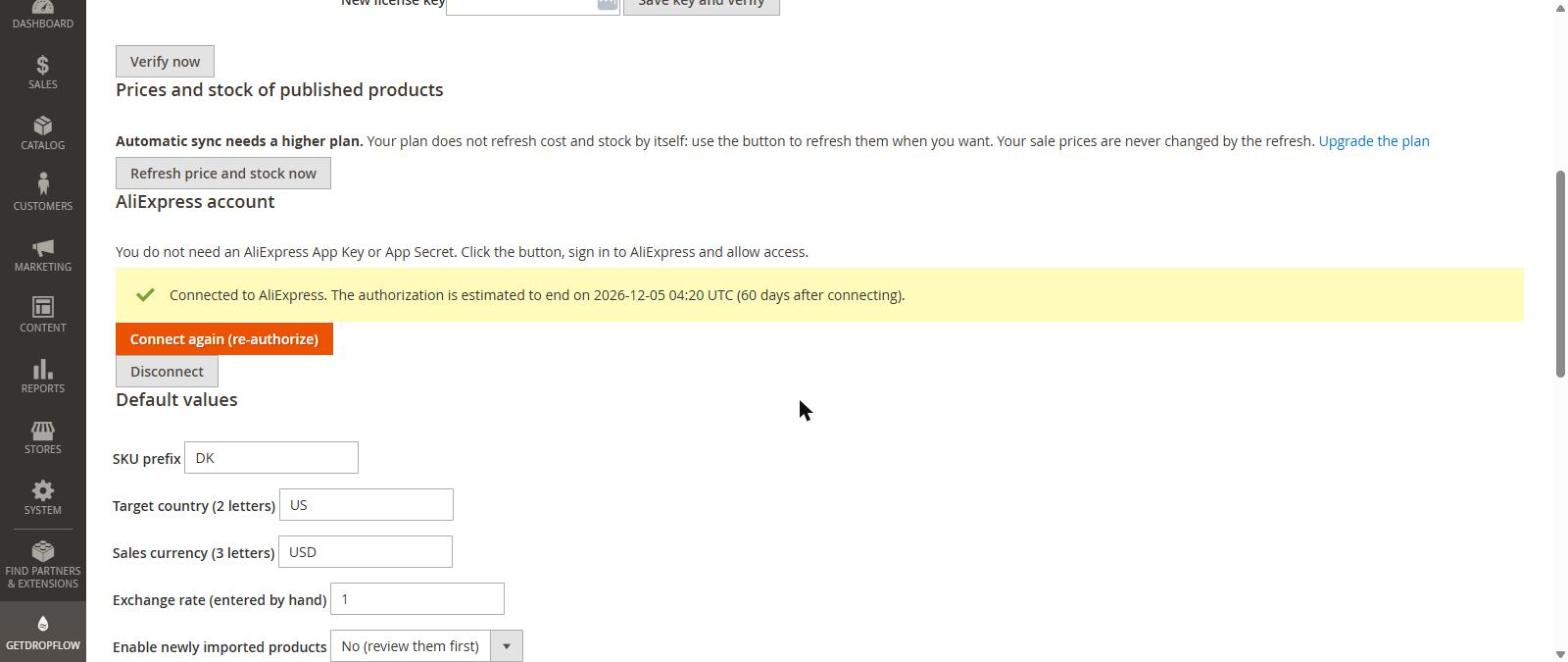
Important: do this in your normal browser (Chrome, Edge, Safari). Do not use a browser window that is controlled by an automation or testing tool: AliExpress may refuse the login there. The plugin never asks for your AliExpress password and never pays for anything.
Step 3 — Look at the defaults
Scroll down to Default values:
- SKU prefix (letters in front of every product code, for example
DK). - Target country (2 letters, for example
US) — shipping prices are asked for this country. - Sales currency (3 letters, for example
USD) and Exchange rate if your shop currency is not the AliExpress currency. - Enable newly imported products — the safe default is No (review them first).
Press Save defaults.
Next
Article 3: find products and publish them.