3. Find, import and publish products
Step 1 — Search AliExpress
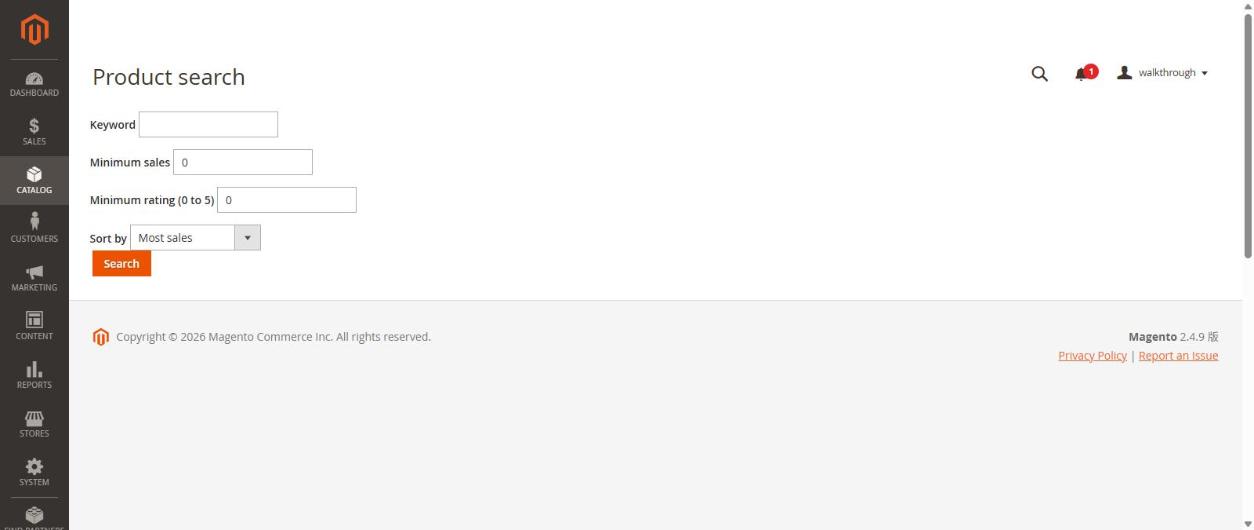
- Open Catalog → Product search.
- Type a Keyword (for example
women summer dress). You can set a Minimum sales, a Minimum rating and the sort order. - Press Search.
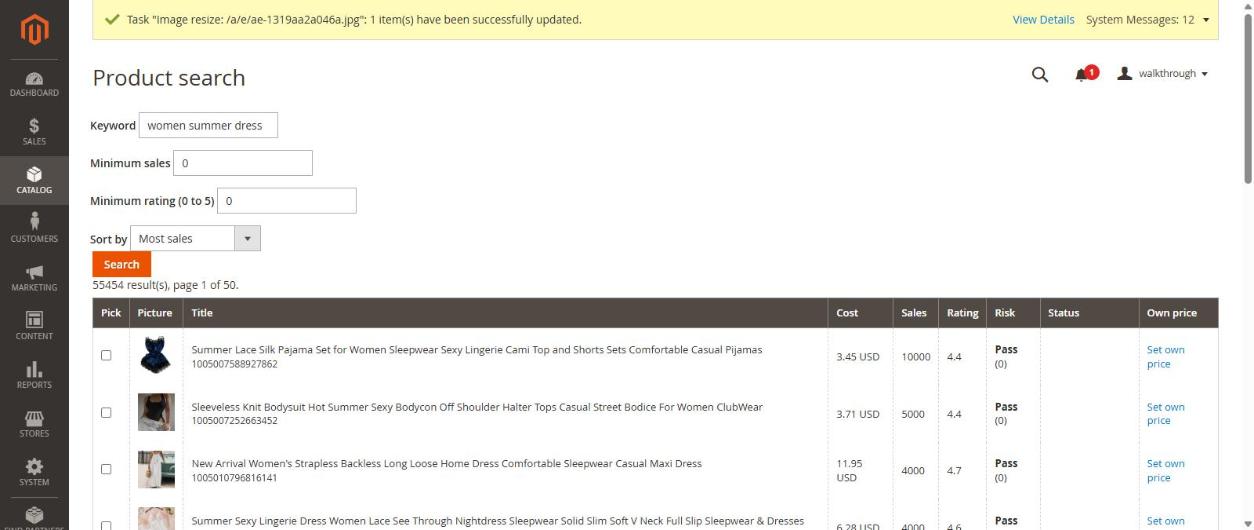
The list shows the picture, title, cost, sales, rating and a Risk badge (Pass means no warning). It also tells you how many results there are and which products are already on your import list.
If you see "AliExpress is limiting requests right now", wait a few minutes and search again. AliExpress limits how fast one app may ask.
Step 2 — Add products to the import list
Tick the products you like and press Add ticked products to the import list.
Step 3 — Set the price and publish
Open Catalog → Import list.
- Free plan: there are no pricing rules, so type your sale price for every product. A product without a price is not published, and a price below the cost is refused. The price you type is for the cheapest variant; every other variant gets the same profit on top of its own cost.
- Trial / paid plans: the list shows a Preview price, the Margin and the Rule used, worked out from your pricing rules (article 4). You can still type your own price.
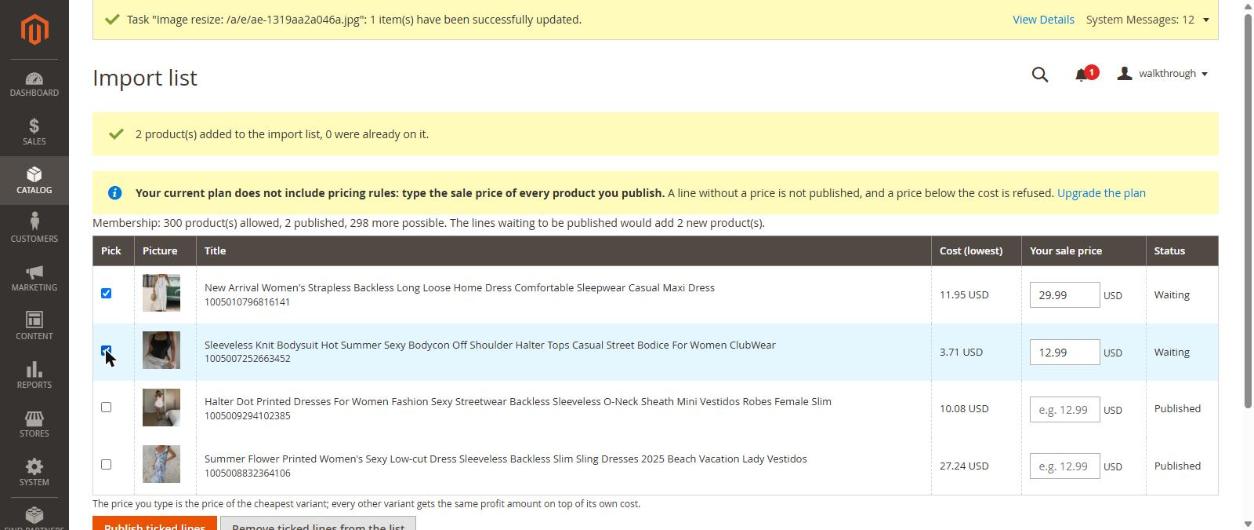
Tick the lines and press Publish ticked lines. The page says how many were published and how many failed.
Step 4 — Check and enable the product
Published products are disabled on purpose (setting Enable newly imported products = No), so nothing goes live before you have looked at it.
- Open Catalog → Products in Magento and find your product. It is a configurable product with colour and size variants (each variant has its own price and stock).
- Check the title, pictures and prices.
- Switch Enable Product to Yes and save.
Products appear in the shop search only after Magento's cron has updated its indexes. If a product is enabled but missing in the shop, check that cron is running (article 8).
Next
Article 4: let the plugin price your products for you.