4. Pricing rules
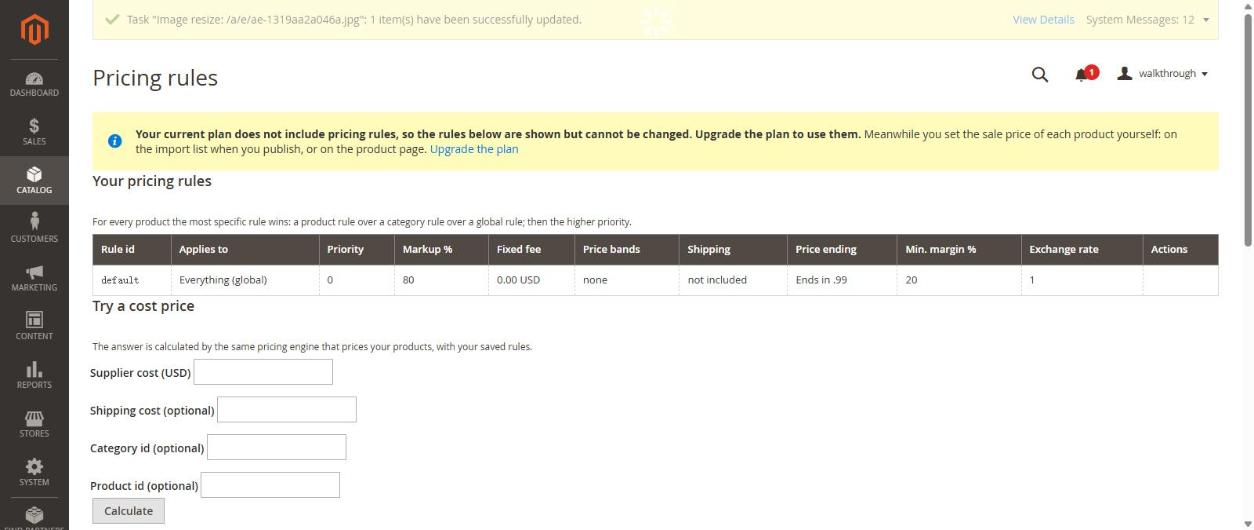
Pricing rules calculate your sale price from the AliExpress cost. They are part of the trial and paid plans. On the free plan you see the rules but cannot change them; you type the price yourself when you publish.
Where
Catalog → Pricing rules.
How a price is worked out
For every product the most specific rule wins: a product rule over a category rule over the global rule; if two are equally specific, the higher priority wins. The page starts with one global rule named default: markup 80%, price ends in .99, minimum margin 20%.
Add or change a rule
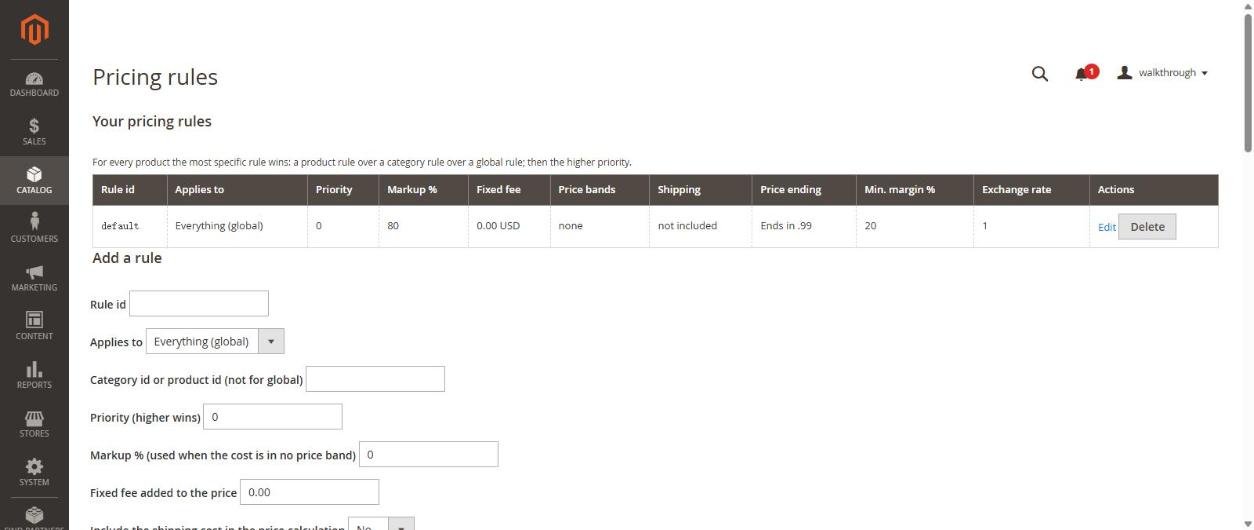
Fill the form Add a rule. To change or remove a rule that is already in the table, use Edit or Delete at the end of its row.
- Applies to — everything, one category or one product (then type the category or product id).
- Priority — the higher number wins.
- Markup % and Fixed fee — added on top of the cost.
- Include the shipping cost in the price calculation — yes or no.
- Price ending — for example "ends in .99".
- Minimum margin % — the price is raised until this margin is reached.
- Exchange rate and Sale currency.
- Price bands (optional) — different markup for cheap and expensive products. A band replaces the markup and fixed fee for products whose cost is inside it; bands must not overlap.
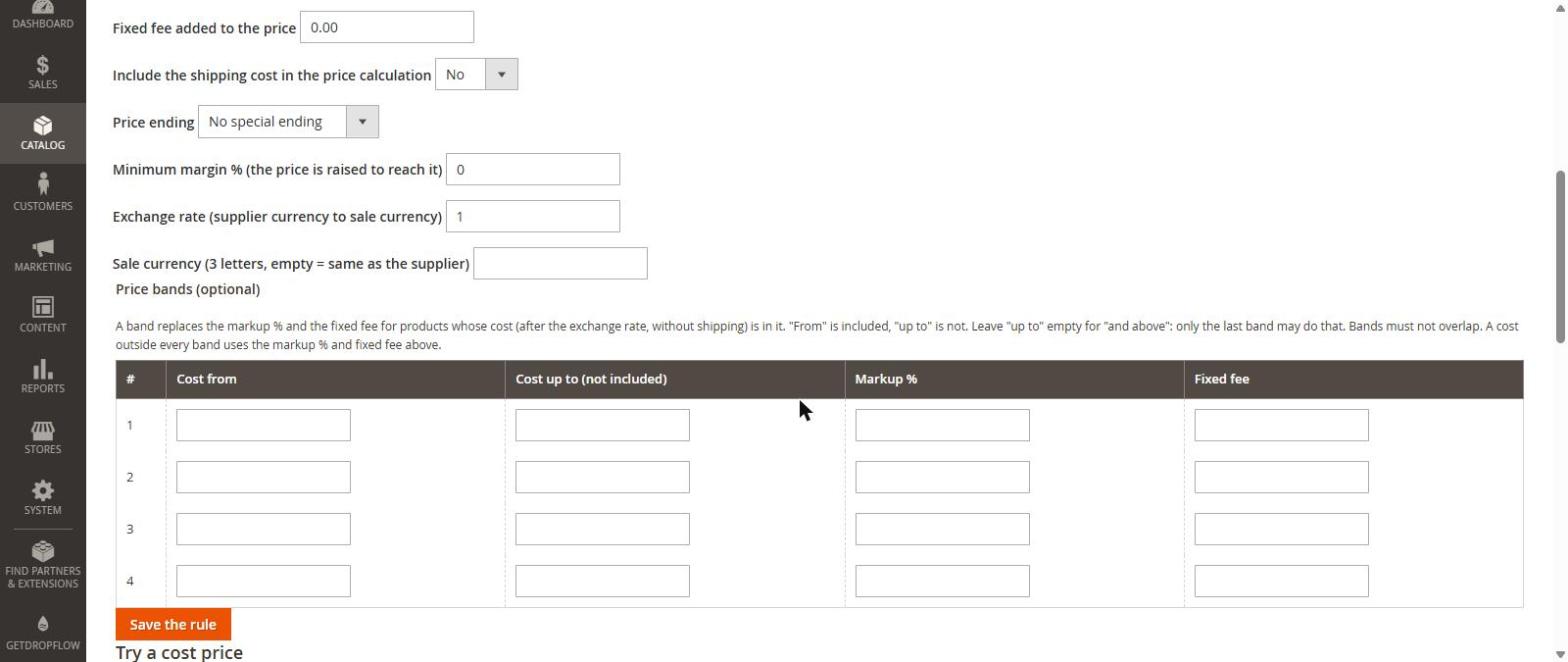
Press Save the rule.
Try it before you trust it
Under Try a cost price, type a supplier cost (and optionally shipping, category or product) and press Calculate. It uses the same engine that prices your products, with your saved rules.
Good to know
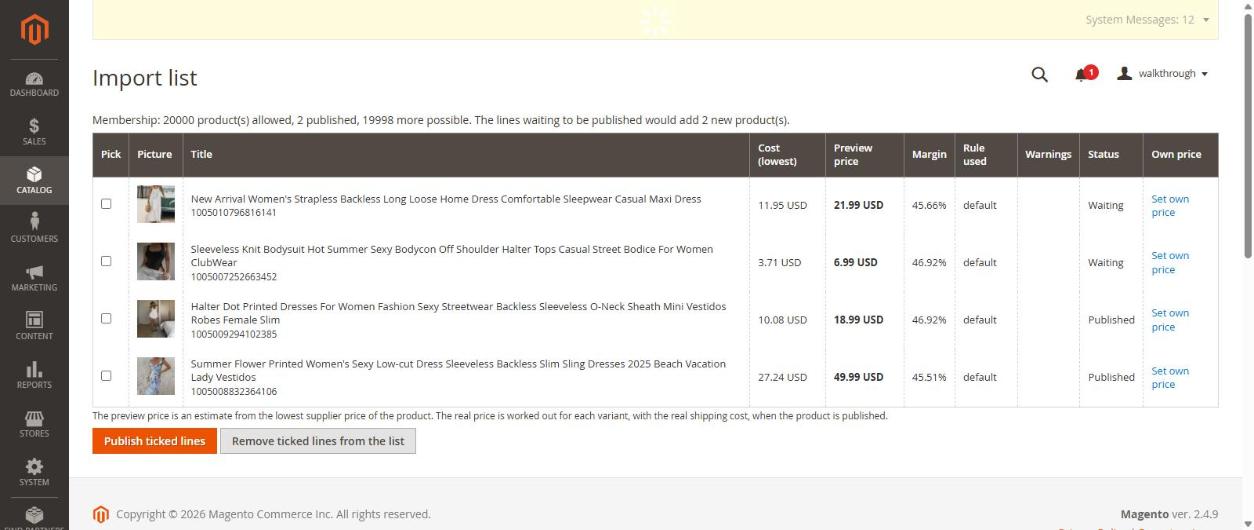
- The import list shows a preview price from the cheapest supplier price; the real price is worked out for each variant with the real shipping cost when you publish.
- Your own price typed on the import list always wins over the rules.