5. Risk settings
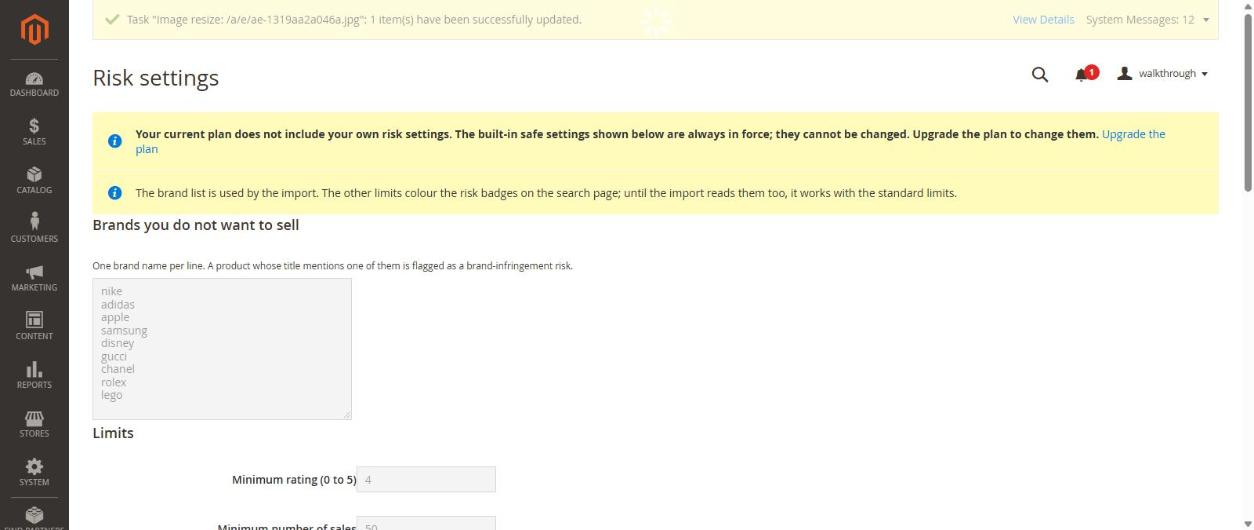
Risk settings help you avoid products that could cause trouble (brand names you must not sell, weak ratings, few sales, very new shops). They are part of the trial and paid plans. On the free plan the built-in safe settings are always on and you cannot change them.
Where
GetDropFlow → Risk settings.
What you can set
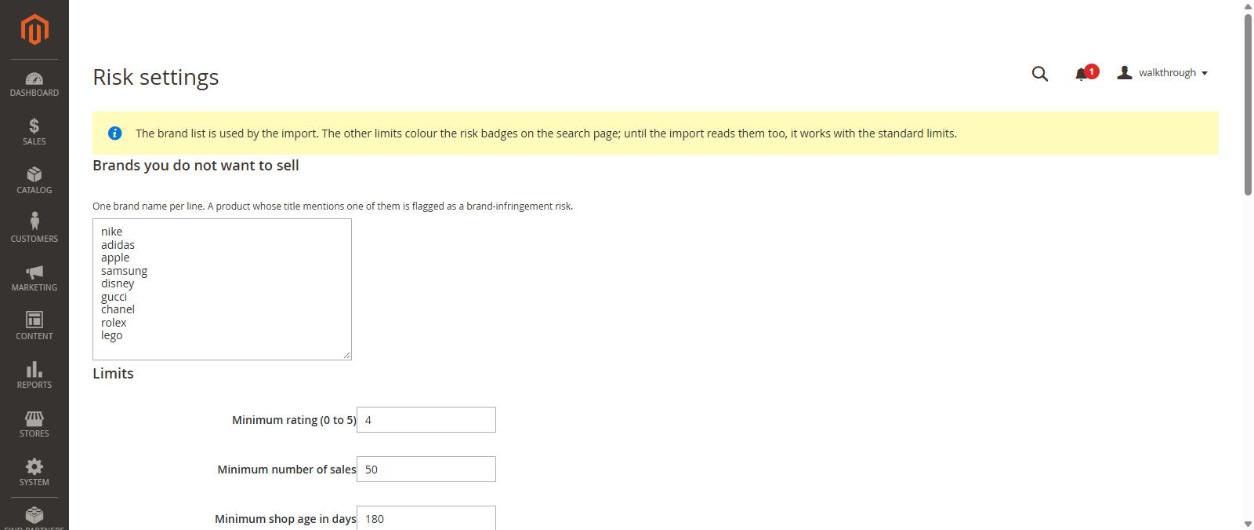
- Brands you do not want to sell — one brand name per line. A product whose title mentions one of them is flagged as a brand-infringement risk.
- Limits — Minimum rating (0 to 5), Minimum number of sales and Minimum shop age in days. The starting values are 4, 50 and 180.
Where you see the result
On Product search, every row has a Risk badge. Pass (0) means no warning; a warning shows the reason.
Please note
At the moment the brand list is also used when you import. The other limits only colour the badges on the search page; the import uses the standard limits. A badge is a helper, not a legal guarantee that a product is genuine.
Next
Article 6: orders and shipping.