6. Orders and shipping
The golden rule
GetDropFlow never pays for you. You pay for every AliExpress order yourself, on AliExpress. The plugin keeps no payment link.
The Orders page
Open GetDropFlow → Orders. It lists the supplier orders linked to your store orders, with a status filter and a box Only orders that need action (waiting for your payment on AliExpress, failed, or with a note that needs your attention). The buyer's name and address stay in the Magento order.
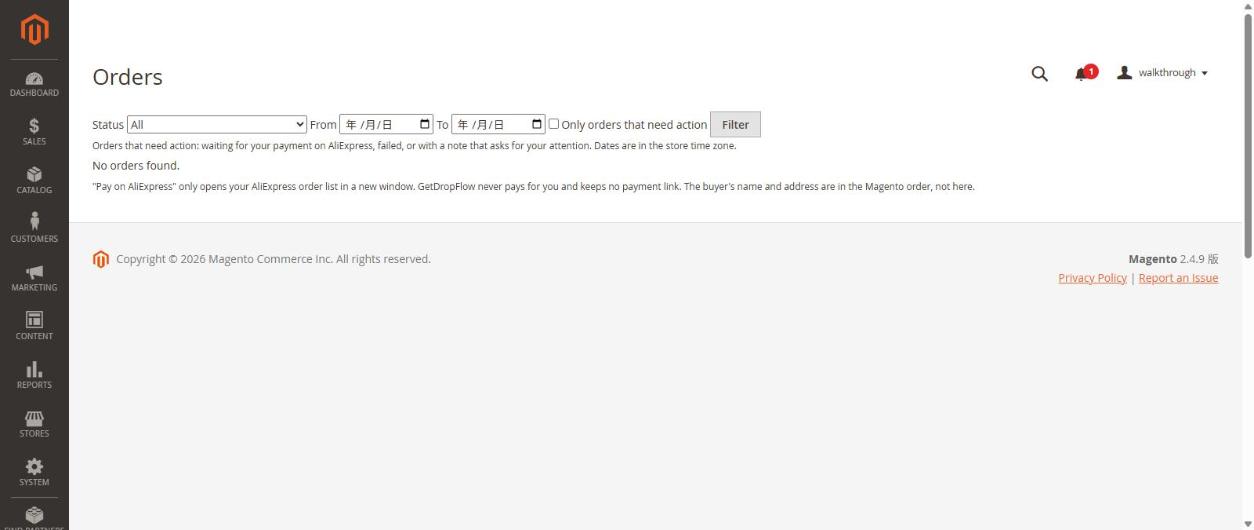
"Pay on AliExpress" only opens your AliExpress order list in a new window.
What the statuses mean
- Delivered — AliExpress shows the order as finished and the parcel as accepted.
- Cancelled — AliExpress shows a finished order that never shipped and was never paid.
- If AliExpress sends a combination the plugin does not recognise, the plugin does not change the status and leaves it as it was. It is better to wait than to show a wrong status.
- Tracking numbers are copied from AliExpress to your Magento order when the parcel has one.
Not checked in this walkthrough (UNVERIFIED): the order synchronisation is switched off by default (setting dropshipkit_orders/general/enabled = 0), so we did not see real orders appear on this page. Reading AliExpress orders and tracking numbers was tested separately with real orders (see the technical notes), but the full screen flow on the Orders page still has to be checked once synchronisation is released.
Shipping prices for your customers
GetDropFlow can ask AliExpress for the real shipping price when your customer looks at the cart.
- In Magento open Stores → Configuration → Sales → Delivery Methods and switch on GetDropFlow live shipping (AliExpress). (It is off until you do this.)
- Optionally set a markup, a cap, or a free-shipping limit.
- Put a product in the cart: the shipping line shows the AliExpress price and delivery time.
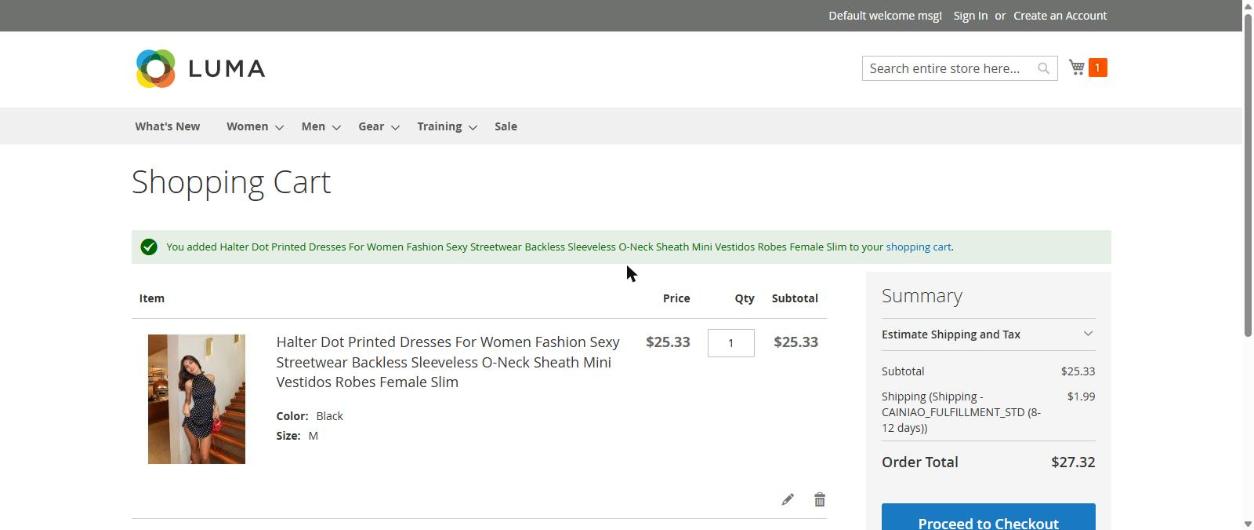
In our test the cart showed CAINIAO_FULFILLMENT_STD (8-12 days) for 1.99 USD.
If AliExpress cannot answer (for example it is limiting requests), the customer is not kept waiting: the plugin uses your fixed shipping table by country (setting fallback table, for example {"US":"5.99"}). If you did not fill that table, no shipping method is offered for that moment. A price of 0 from AliExpress is treated as "no quote", so you never pay shipping by accident.