12. Start here: buy, download, install and connect AliExpress
You do not need to know commands. Follow this page step by step, about 30 minutes. If you get stuck, read "If you get stuck" at the end.
Before you start
- A Magento store (version 2.4.6 to 2.4.9) whose admin address starts with https.
- A way to log in to your server (called SSH, or "the terminal"). Not sure how? Read 13. Where to type commands first.
- An e-mail address to receive your license key.
Step 1: Sign up and get your license key
- Open getdropflow.com and click Start free (30 products are free forever), or choose a plan on the Buy page.
- Enter your e-mail and your store address (for example
https://yourstore.com). - The key appears on the page and is e-mailed to you. Keep it safe.
Step 2: Download the install package
- On the Download page enter your key and click download. You get a zip file.
- The page also shows a short check code (SHA-256). You can ignore it, or use it to check the file is not damaged.
Step 3: Upload the file to your server
Upload the zip to a place on the server outside the store folder (for example your home folder), with an SFTP program (FileZilla) or your host's file manager.
Step 4: Run the install command
- Log in to the server terminal and go to the Magento root folder (it contains the folders
binandapp):
cd /your/magento/path- The install script is inside the zip. Take it out once, in the folder where the zip is:
unzip -p dropshipkit-manual-install-VERSION.zip gdf-install.sh > gdf-install.shThen check first; nothing is changed:
bash /path/gdf-install.sh --check /path/dropshipkit-manual-install-VERSION.zipSolve every line that starts with [FAIL] before you go on.
- Install:
bash /path/gdf-install.sh /path/dropshipkit-manual-install-VERSION.zipThe script makes a backup first, then installs, then checks the home page, login page and cart. When you see the message that says the install is done, it worked. The "compile" step may print nothing for several minutes: wait, do not press Ctrl+C.
Step 5: Enter the key in the admin
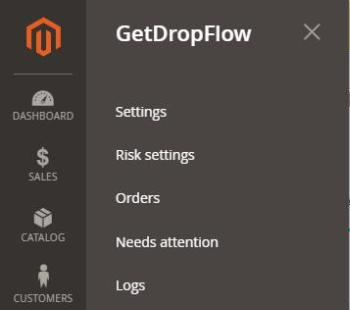
- Log in to the Magento admin; the GetDropFlow menu is on the left.
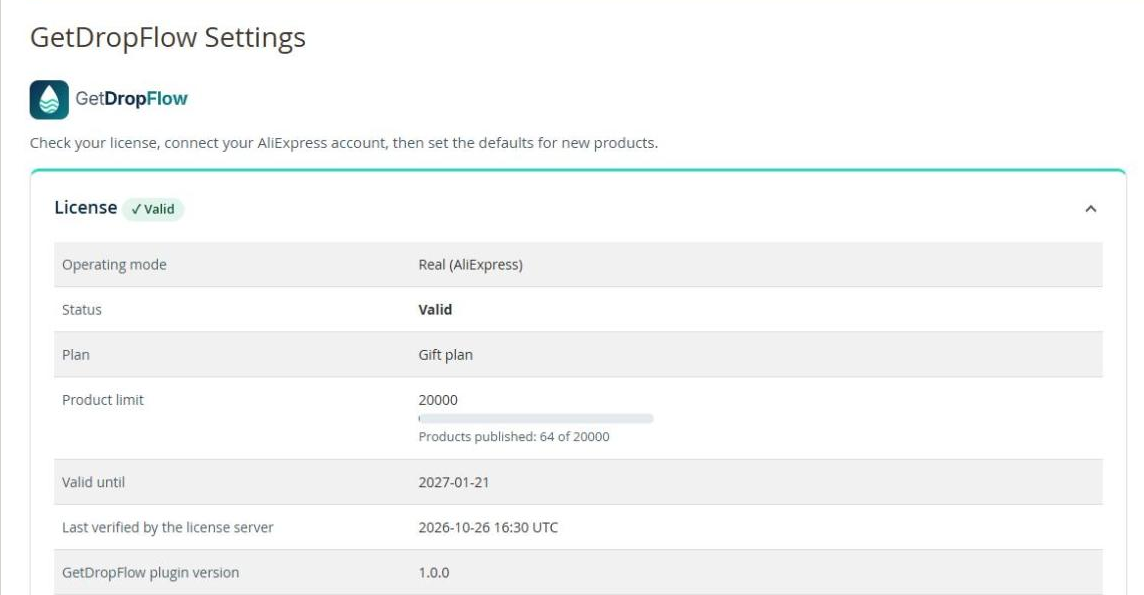
- Open GetDropFlow → Settings, paste your license key and save.
Step 6: Connect AliExpress
On the Settings page click Connect AliExpress. Your browser goes to AliExpress; click Authorize and you come back to the admin. When it says "connected" you are done. The authorization lasts about 60 days; the admin warns you before it ends.
Step 7: Publish your first product
Continue with 3. Find products, import and publish.
If you get stuck
- The command says file or directory not found: the path is wrong; use
lsto see whether the file is there. - bin/magento does not run, or the PHP version is wrong: the command-line PHP of the server may not be the version your site uses. Name the right one in front of the command, for example
GDF_PHP=/usr/bin/php8.3 bash gdf-install.sh …(ask your host for the version). More in the "Common errors" table of the install guide. - The install stops half way: the script tells you what was not changed, what was changed and how to roll back; follow it and your store stays safe.
- Still stuck: you can buy the install service on the website and we install it for you.